English
Danil Lisin
Vue/NuxtDeveloper
Transforming complex tasks into elegant solutions. Specializing in Vue/Nuxt, TypeScript and creating scalable applications with well-thought-out architecture.
Architecture as a reactive system
Interface as its human face
Pushing beyond 'just code', I design cohesive SPA systems where Vue's modularity and TypeScript's clarity serve one goal — creating intuitive and high-performance digital products
Application structure designDeveloping modular and scalable architecture, organizing codebase for easy maintenance and growth
Interface layoutCreating responsive, cross-browser and accessible interfaces using modern approaches (Flexbox, Grid)
State management implementationSetting up centralized store (Pinia/Vuex), organizing data and their reactive connections between components
Client-server communicationBuilding service layer for API work, error handling, implementing retry mechanisms and caching
RoutingDeveloping complex navigation systems with nested and protected routes, lazy loading of components
This approach enables me to create reliable and scalable solutions that are convenient to develop and maintain.

Vue 3 with Proxy for 'smart' reactivity, and Vite launches the project instantly using built-in ES-modules.Pinia is built for TypeScript from the ground up — types are inferred automatically. This entire stack works on the principle of a constructor: you assemble logic from ready-made functions, rather than writing tons of configuration.
Technology Stack
Core Technologies
Vue.JS
SPA development using Composition API, composables, reactivity, working with lifecycle hooks, custom directives
Nuxt
SSR and SSG applications based on file-based routing, data fetching on server and client, SEO optimization and API integration
Pinia
Application state management using Composition API, organization of modular stores via Setup Store syntax, TypeScript integration
TypeScript
Strict typing, generics, utility types, type safety in components and stores
Vite
Fast project building, plugin configuration, production build optimization
Infrastructure & Tools
Vue Router
Navigation with lazy loading, nested routes, navigation hooks, history management
Vue i18n
Application localization, dynamic translation loading, pluralization
Git
Team collaboration, feature branches, code review, conflict resolution
REST API
Development and use of custom HTTP request wrappers, error handling, caching, request lifecycle management
Layout & Styling
HTML5/CSS3
Semantic markup, responsive design, CSS Grid/Flexbox
SCSS/SASS
Preprocessing, mixins, modular styling, CSS Custom Properties
Artificial Intelligence as a working tool
I integrate AI into the daily development process to speed up routine tasks and improve code quality. I don't just 'chat with AI' — I build clear, controllable pipelines with its help.
ClaudeGenerating complex TypeScript types, architecture design, documentation writing, and legacy refactoring.
CursorContextual autocomplete, writing tests, explaining unfamiliar code, and on-the-fly refactoring.
CopilotQuick boilerplate autocomplete, JSX/TSX markup creation, and routine data queries.

Career
2017 - 2025

December 2020 — October 2025
Lead HTML-Developer / Frontend Developer
Design and development of Vue 3 components for TWx and TravelShop products. Creating UI architecture, developing interactive elements and complex SPA applications for flight booking systems. Support and customization of TravelShop templates on Bitrix for various airlines.

Tais
October 2017 — December 2020
Lead HTML-Developer / Frontend Developer
Development of front-end interfaces for online booking and flight registration systems. Creating intuitive user interfaces, working with forms and data validation, integration with backend systems and APIs.
1998 - 2017

Web Designer
Creating animated and interactive advertising banners for television projects. Full development cycle: from concept and design to implementation using HTML5, CSS3 and JavaScript. Creating responsive banners supporting various sizes and devices.

Web Designer
Design and development of websites for major advertising agency clients. Creating interactive interfaces, working on improving user experience. Participation in creating comprehensive digital solutions for brands. Working according to corporate standards and client guidelines.

Web Designer / Web Developer
Development and support of websites for company's media projects. Creating user interfaces, designing promotional pages and landing pages. Integration of design with content management systems, optimization of web page performance.

Web Designer
Development of corporate website designs, creating advertising banners and iconography. Full interface design cycle: from prototyping and visual design to adaptive layout. Graphics optimization and ensuring cross-browser compatibility.

Web Designer / Web Developer
Full cycle of web project creation: from user interface design and visual design to frontend development. Creating intuitive interfaces for content exchange platforms, developing admin panels and user cabinets. Optimizing user experience and interaction.

NIKITA ONLINE
Web Designer
Development of corporate website designs and promotional pages for company's gaming projects. Creating visual concepts, designing page layouts and interface elements. Preparing graphic materials for web publications.
Nettrader
Web Designer
Design of user interfaces for financial and trading platforms. Creating intuitive and functional interfaces for working with financial data. Development of visual communication systems and branding elements.

Web Designer
Creating website designs for agency clients. Development of visual concepts, preparation of layouts and graphic elements. Working on improving user experience and navigation on web resources.

Yutinet.Ru
Web Designer
Design and development of web interfaces for internet portals. Creating user interfaces, working on improving navigation and content structure. Development of graphic elements and visual identity systems.

ION Digital Center
Web Designer
Design and development of websites for various business segments. Full interface creation cycle: from target audience research and prototyping to final implementation. Development of adaptive designs and ensuring cross-browser compatibility.
ADT Web Solutions
Web Designer
Creation of corporate website and online store designs. Development of user interfaces, navigation design and content structure. Working on branding and creating unified visual systems for web projects.
Freelance
Web Designer
Execution of website design and development orders for various clients. Creating unique design concepts, developing page layouts, preparing graphic elements. Working on full web project creation cycle from idea to implementation.
Artez Production
Web Designer
Website design for production company clients. Creating visual concepts, developing interfaces and navigation systems. Preparing graphics for web publications and ensuring design compliance with technical requirements.

AVM New Wave Inc.
Web Designer
Design of early websites at the beginning of internet development in Russia. Establishing foundational principles of web design and navigation. Working with limited technical capabilities of that time, optimizing graphics for slow internet connections.
Lead Frontend Developer
TravelShop 2.0 - Flight Booking System
Development and maintenance of a modern flight ticket booking system for Russian and foreign airlines, including Azimut.
Key System Features
Real-time flight search and bookingProvides direct access to current airline data and fares for instant booking.
Complex business logic for fare and fee calculationAutomatically applies flexible pricing rules, including individual conditions for corporate clients.
Multi-step booking process with data validationIntuitive step-by-step process with information verification at each stage to minimize errors.
Order and passenger management systemProvides passengers with a personal account for self-service booking management and online check-in.
Integration with booking systems (GDS)Connects to GDS, DCS, and metasearch services through flexible API for content access.
Support for additional services (baggage, meals, insurance)Efficiently offers ancillary services during booking to increase average order value.
Web check-in for flightsAllows passengers to independently check in online and select their seat on board.
Exchange and refund of air ticketsAutomates ticket exchange and refund procedures in accordance with fare rules.
Post-booking service add-onsEnables passengers to purchase additional services after booking — baggage, meals, insurance.
User personal accountProvides passengers with access to order history, profile management, and quick rebooking.
Responsive design for all devicesBuilt on PWA (Vue.js) technology, ensuring equally convenient operation on any device.
Mobile application for Android and iOSA fully-featured mobile app for searching, booking, and managing flights on smartphones.

Achievements and Results
40%
Scalable architecture developed, accelerating new feature deployment by 40%
60%
Booking errors reduced by 60% through implementation of passenger data validation system
25%
Performance improved by 25% through implementation of search query caching mechanism
Code reliability enhanced through configuration of code review process and implementation of static typing
Proper display on all devices ensured through adaptive layout
Implemented Projects
Azimuth Airlines
Full-featured booking system with customized design
TravelShop White Label
Base platform for rapid deployment of booking systems
Architectural Solutions in Vue • Nuxt • Node.js
From UI components to deployment and monitoring systems — here you'll find concrete technical solutions that I have designed and implemented in practice.

UI Components Development
Designed and implemented a UI component library for a large web application with focus on accessibility, performance and developer experience.
Key Components
Input fields and selectors
Components implement full interaction cycle including validation, input masks, custom placeholders, as well as visual states for errors and loading.
Smart autocomplete
Component features complex keyboard handling logic, virtual scrolling, optimized for mobile devices and supports convenient T9 input.
Modal windows and tooltips
Universal overlay components with swipe gesture support, automatic background scroll blocking, and proper focus management for accessibility.
Calendar and date picker
Flexible component for selecting single dates and periods with ability to define custom range highlighting logic and configurable visual states.
Tables and tabs
Library includes high-performance tables with row virtualization and adaptive tab components equipped with programmatic API for navigation control.
Development Process
1
API Design
Developing component interfaces considering usability and type safety
2
Core Functionality Implementation
Creating main component functionality with accessibility support
3
Testing and Documentation
Writing tests and creating documentation with usage examples
4
Integration and Feedback
Project integration and feedback collection for component improvement
Component Library Architecture
Base Componentsfundamental UI elements with well-designed API and theming support
Composite Componentscomplex compound components built on base elements
Theming Systemappearance customization mechanism through CSS Custom Properties
Documentationcomprehensive documentation with usage examples and API reference
Component-Based Approach Benefits
30% faster feature development through component reuse
Ensuring interface consistency throughout the application
Simplifying codebase maintenance and scaling
Improving user experience on mobile devices
40% reduction in UI logic bugs

REST API Pipeline System
A powerful system for organizing sequential HTTP requests to REST API, where each subsequent call can utilize data from the previous one. Provides complete control over request chain execution with progress visualization and intelligent error handling.
Key Pipeline Capabilities
Sequential HTTP chains
System organizes and executes REST API requests strictly one after another, ensuring correct execution order and control over data flow.
Auto data transfer between steps
Results of each executed request (e.g., created object ID) are automatically and safely substituted into parameters of subsequent requests, eliminating manual data stitching.
Real-time progress tracking
Interface displays visual progress bar and status of each stage, providing user with full transparency about current execution state.
Smart error handling and retries
System analyzes server response codes (e.g., 5xx errors) and automatically performs request retries according to configurable rules, increasing fault tolerance.
Conditional execution logic
Allows defining rules (e.g., if/else) that determine whether the next request will be executed, based on data obtained in previous steps.
Auto-cancel dependent requests
When a fatal error occurs, the system automatically aborts execution of the entire subsequent chain, preventing pointless calls.
End-to-end type safety
Thanks to TypeScript integration, system ensures strict type checking for input parameters and data passed between pipeline steps.
Pipeline Work Process
1
Request Chain Configuration
Defining the sequence of API calls, dependencies between them, and execution conditions for each stage
2
Initialization and Validation
Configuration correctness check, data preparation, and execution progress tracking initialization
3
Sequential Execution
Step-by-step execution of HTTP requests with automatic data transfer and intermediate result processing
4
Monitoring and Management
Continuous progress tracking, handling emerging errors, and adaptive management of chain execution
5
Final Processing and Cleanup
Aggregation of all request results, data finalization, and system resource release
Pipeline Architecture
Pipeline Orchestratorcentral coordinator managing the sequence of API request execution and data transfer between them
Request ExecutorHTTP request executor with support for retry logic, timeouts, and handling of various status codes
Progress Trackermodule for tracking request chain execution progress with detailed breakdown by each stage
Error Handlercentralized error handler with classification by types and recovery strategies
Type Safety Layerstrict typing layer ensuring data correctness at all pipeline stages
Pipeline Approach Benefits
40% reduction in development time for complex API interactions
Increased reliability through centralized error handling and retry mechanisms
Improved user experience through accurate progress display
Simplified debugging and monitoring of request chains
Flexibility for implementing complex business processes with dependent API calls
Full type safety reduces runtime errors
Easy integration with existing Vue.js application ecosystem

REST API Monitoring Module
A built-in module for real-time REST API health monitoring: accumulates HTTP request history, builds per-endpoint analytics, tracks errors with trend comparison, and sends Telegram alerts when configurable threshold rules are triggered.
Key Monitoring Capabilities
HTTP Request History
Middleware intercepts every request, recording method, URL, status code, duration and timestamp. Data is stored in a 5,000-entry ring buffer and persisted to an NDJSON file with automatic rotation at 10 MB.
Sliding Window Analytics
Analytics endpoints return metrics for a configurable time window: RPS, average response time, p95 percentile, error rate, and status code distribution (2xx/3xx/4xx/5xx).
Per-Endpoint Breakdown
The system normalizes URLs (replacing dynamic segments with wildcards) and groups requests by route, showing a top-20 endpoint list with call count, error rate, and p95 for each.
Error Tracking with Delta
The error module compares current and previous observation windows, calculates percentage change, and builds a timeline histogram of errors, helping to spot spikes quickly.
Active Endpoint Probing
Configurable probe endpoints are polled on a schedule. Each check result (status code, duration, error) is stored in history for availability graph rendering.
Rule-Based Telegram Alerts
A flexible rule system: condition (error rate, p95 latency, endpoint unavailability) → bot → message. When triggered, the rule is recorded in the alert log with a timestamp.
How Monitoring Works
1
Request Interception
Every incoming HTTP request passes through middleware that captures metadata and records it after the response is received
2
Accumulation and Persistence
Entries are added to the ring buffer and simultaneously written to an NDJSON file; history is restored from the file on service restart
3
Analytics Calculation
On request from the control panel the engine filters events for the desired window and computes aggregated metrics
4
Active Probing
The scheduler polls configured endpoints on schedule and stores results for availability graph rendering
5
Rule Evaluation and Alerts
After each check the rules engine compares metrics against threshold values and sends a Telegram notification when a rule is violated
Monitoring Module Architecture
Request Logger Middlewarerequest interceptor collecting metadata from every HTTP call and passing it to the ring buffer
Request History Storestorage with in-memory buffer and NDJSON persistence, restoring history after service restart
Analytics Enginemetrics calculation module (RPS, p95, errorRate, statusDist, endpoint top) over a sliding time window
Probe Scheduleractive endpoint probe scheduler storing check result history in the database
Alert Rules Enginerules engine that evaluates current metrics and fires Telegram notifications when thresholds are breached
IP Blocklistblocked IP address filter with API-driven management for blocking unwanted traffic sources
Built-in Monitoring Benefits
Observability with no external dependencies — the module is built directly into the API
Request history survives service restarts by restoring from a local file
Instant anomaly detection through comparison of current and previous periods
Precise bottleneck diagnosis with p95 breakdown at the route level
Telegram alerts with configurable conditions — no need to run Grafana or Prometheus
Zero incident response delay thanks to active probe checks

Vue/Nuxt Application Auto-Deploy and Hosting Platform
A lifecycle management system for Vue and Nuxt applications: clones the repository, builds the image in an isolated container with memory limits, publishes the result behind Traefik with automatic TLS, and binds any custom domain — all through a control panel, without editing configs or SSH.
Key Platform Capabilities
Automatic Build from Repository
On deploy command the system clones the target branch (including private repositories) and runs the build in an ephemeral Docker container with the specified Node version, dependency install, and build commands.
Vue SPA, Nuxt Static and Nuxt SSR Support
For each application type the deployer generates an appropriate Dockerfile: static apps are packed into an nginx image, SSR into a Node image with a live process on port 3000.
Dynamic Domain Routing
Adding an application in the panel automatically attaches Traefik labels to the container. A new domain becomes active without restarting the gateway or editing configuration files.
Automatic TLS (Let's Encrypt)
Traefik requests and renews Let's Encrypt certificates via HTTP-01 on first access to the domain. Certificate status is shown in the application card in the control panel.
Private Repositories with Encrypted Tokens
SSH deploy keys or personal tokens are stored encrypted in the database (AES-256-GCM), decrypted only during cloning, and never appear in logs.
Production Protection from OOM During Build
Every build container is launched with an explicit memory limit and NODE_OPTIONS; builds run strictly one at a time in a queue — peak Vite/Nuxt consumption cannot crash running production services.
Application Deploy Process
1
Application Configuration
Parameters are set in the control panel: repository, branch, type (Vue/Nuxt SSR/Static), domain, build commands, and environment variables
2
Clone and Build
The deployer clones the target branch (using the encrypted access key) and builds the image in an isolated container with a memory limit
3
Package and Start Container
The ready artefact is packed into an nginx or Node image and started as a container with Traefik labels containing the domain and TLS settings
4
Automatic Certificate Issuance
Traefik detects the new container, initiates the HTTP-01 ACME challenge, and issues a Let's Encrypt certificate for the specified domain
5
Status Update and Cleanup
The database is updated (container_id, image_tag, status=running), the old container and image are removed, and build logs are available in the panel
Platform Architecture
Deployer Servicedeploy orchestrator inside the API: clones the repository, generates a Dockerfile for the application type, runs the build, and starts the container
Build Queuebuild queue with concurrent run locking that protects server resources from overload
Git Credentials Storeencrypted storage of SSH keys and tokens for accessing private repositories
Traefik Gatewaygateway with a dynamic Docker provider: reads container labels and updates routes and TLS without restart
Control PanelVue SPA control panel: application list, build parameters form, real-time logs, TLS status
GitHub Actions CIpipeline for building platform service images (API, panel) and automatic SSH deployment to the server after push to master
Platform Benefits
Deploying a new application takes minutes — no SSH, no config editing, through the UI
A single Traefik gateway handles all domains and certificates without manual intervention
Private repository support with database-level token encryption
Automatic CI/CD: push to master → image in GHCR → service update on the server
Built-in OOM protection during build keeps production stable
One server simultaneously hosts the platform and any number of applications with network isolation

Flexible Localization System with String Overrides
The implemented system allows overriding specific strings in locales depending on the project build bundle, providing flexibility in interface customization for different clients.
Key Localization Features
Override specific strings
System allows selectively replacing individual translations without requiring full copying and duplication of entire dictionary for making changes.
Support for multiple languages
For each supported language, you can define its own set of custom strings, providing unique interface localization for different regions.
Automatic locale merging
Default translations and custom overrides are automatically merged into a single dictionary during project build.
Bundle-specific configuration
Mechanism takes into account target build bundle (e.g., client A or client B), loading corresponding set of customized translations.
Preserve default values
For all strings that were not explicitly overridden, system guarantees use of standard values from base dictionary.
Quick translation addition
New custom strings can be quickly added as separate files or entries, after which they are automatically picked up by the system.
How Locale Merging Works
1
Bundle Identification
The system identifies the current build bundle and checks for custom dictionaries for it
2
Locale Loading
Base translation dictionaries and custom dictionaries for the specified bundle are loaded
3
Dictionary Merging
Default locales are merged with custom ones, with custom strings having priority
4
Result Generation
Final translation dictionaries used in the application are formed
Localization Architecture
Base Localesmain translation dictionaries with standard strings for all languages
Custom Localescustom dictionaries with overridden strings for specific bundles
Merge Enginemechanism for merging default and custom locales during build
Bundle Configbundle configuration specifying custom dictionaries for overrides
Flexible Localization Benefits
Flexibility in interface customization for different clients
Time savings in maintaining multiple translation versions
Reduced probability of errors when updating locales
Simplified process of adding new custom translations
Maintaining a single codebase for all bundles
Quick deployment of customized versions

Universal Aircraft Seat Map Display System
The implemented system allows displaying aircraft seat maps from various booking systems through a single universal component using special drivers for data transformation.
Key Component Features
Support for multiple formats
System is capable of working with seat map source data from various booking systems, each having its own unique format.
Universal display component
User interface consists of a single Vue component that visualizes seat map regardless of source or input data format.
Driver system for data
Special adapters (drivers) are used to transform specific data from each provider into unified internal format.
Flexible client configuration
Adding support for new client or booking system requires only creating corresponding driver, without changing system core.
Isolated business logic
All complex validation, display, and seat map interaction logic is encapsulated in universal component and does not depend on drivers.
Quick source connection
To integrate new data source, it's sufficient to implement driver according to ready interface, after which it immediately becomes available for use.
How Map Rendering Works
1
Data Receiving
The system receives seat map data from an external system in a specific format
2
Driver Selection
Based on data type or client, the appropriate transformation driver is selected
3
Data Transformation
The driver transforms incoming data into a unified format for the component
4
Map Rendering
The universal component displays the seat map based on prepared data
Component Architecture
Universal Seat Map Componentmain seat map display component with unified API
Data Driversspecialized drivers for transforming data from different formats
Seat Map Engineengine for processing and preparing data for display
Configuration Managerconfiguration manager for connecting drivers to the component
Universal Component Benefits
Quick connection of new clients with their own data formats
No code duplication in the display component
Simplified system maintenance and updates
Isolation of business logic from data specifics
Architecture scalability
Reduced development time for new integrations

VueCraft NPM
Tools born from real challenges and experience
Worker Kit
Off-main-thread computation for Vue 3: types inferred from the worker code, no generics. Task pool, cancel on the fly, zero-copy data transfer.

Error Boundary Kit
Error handling for Vue 3: fallback UI, retries, auto-reset. Adapters for Sentry, Bugsnag, LogRocket, HTTP. Catches failures outside render, error history.

Image Kit
One component for images in Vue 3: lazy loading, WebP/AVIF, Blurhash, srcset, art direction, retry. CLI, CDN adapters, Vite plugin, directive for backgrounds.

Toast Kit
Notifications for Vue 3: action undo, grouping, priorities, customisation. Lightweight, with Promise API and progress timer.

i18n Kit
Localisation for Vue 3: lazy loading, ICU pluralisation, CLI, Vite plugin, browser translation editor.

Network Dashboard
Network monitoring for Vue 3: intercept HTTP, WebSocket, SSE, statistics, mocks, HAR, Diff View, UI component.
Rest Pipeline JS
REST request orchestrator and pipelines: HTTP client with retry, cache, rate limiting; parallel steps, pauses, middleware.

State Machine
Finite state machines for Vue 3: parallel processes, guards, async actions, event queue, DevTools panel.

Storage Kit
Reactive storage for Vue 3: localStorage, sessionStorage, IndexedDB, cookies. TTL, encryption, cross-tab sync, migrations.

Virtual Scroller Kit
Virtual lists, tables, grids, trees for Vue 3. Dynamic row heights, grouping, infinite scroll, drag‑to‑reorder.
Command Palette
Command Palette for Vue 3: fuzzy search, grouping, nested sub-menus, global hotkeys, customisation via slots.

Form Schema
Schema-driven forms for Vue 3. Supports Zod, Yup, Valibot, dynamic lists, multi‑step wizard forms.

Feature Toggles
Feature flags for Vue 3: A/B testing, environment, localStorage, reactive directives, SSR, Nuxt.

Responsive Media
Reactive media queries and container queries for Vue 3 and React 18+. SSR, zero dependencies.

Color Value Tools
Colour manipulation in all models: hex, RGB, HSL, Lab, OKLCH, CMYK, WCAG, colour schemes, CLI.

CSS Magic Gradient
CSS gradient generation (linear, radial, conic) with colour harmonies, presets, WCAG.

OS Detect
OS and device type detection in browser, Node.js, SSR. Reactive hooks for React, composables for Vue. Zero dependencies.
Control and predictability in every action
SVG optimization with result controlCompress SVG files to minimal size without quality loss. Smart preview shows the original and optimized version — visually and in numbers — before saving.
Raster image compressionReduce JPEG and PNG size without visible quality loss. Fine-tune parameters and compare the original with the result side by side.

CSS gradient builderCreate complex layered gradients with full control. Intuitive preview and ready-to-use CSS code in one click.
Layout units converterConvert px, rem, em, % and vw/vh in real time. Flexible root and parent font‑size settings — get ready‑to‑use code instantly.
Favicon generatorCreate website icons with full control. Smart preview shows the result before saving — visually and in numbers.

Strong password generatorFlexible length settings, character sets, and exclusion of ambiguous characters. Visual strength meter shows the complexity level before saving.


Airlines
Route networks, airports, flight visualisation — all in one place. Plan a route from point A to point B in seconds. A tool for those who want to see the full picture.

Macrulez blog
In my blog I share my experience as a frontend developer: I break down tasks, share solutions, and publish notes about working with the modern web.
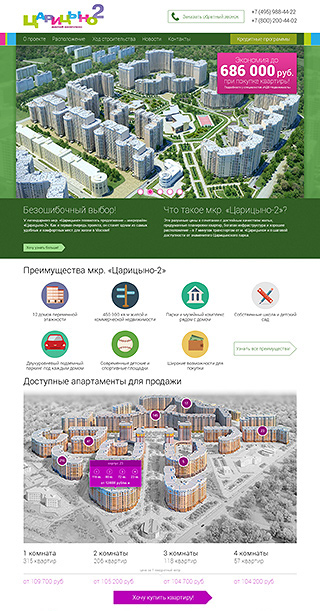
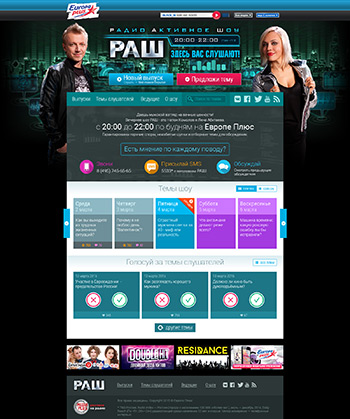
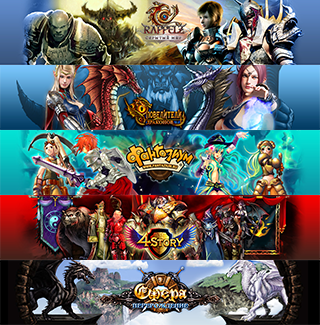
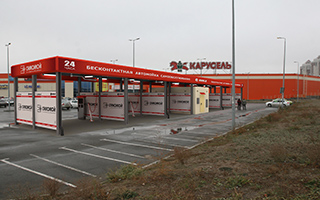
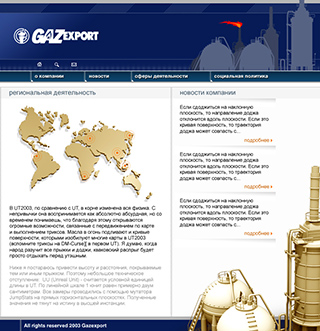
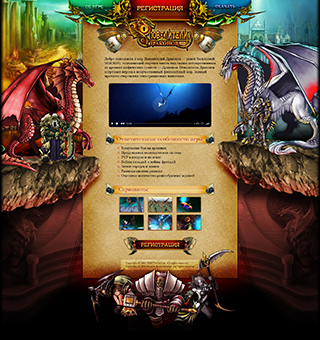
Design Foundation — From Visual Communication to Code
A fundamental understanding of composition, typography, and color theory, acquired through graphic design, forms the basis for creating logical, aesthetic, and effective digital interfaces.




Remote Workplace
Ready for effective work from anywhere
A fully equipped space for productive remote work. Everything needed for comfortable development and communication with the team.

Productive Workstation
Powerful computer for working with modern IDEs and simultaneous running of multiple development environments
Three Monitors
Large monitors for comfortable separation of code, browser, and communication applications
Stable Internet
High-speed wired connection for video conferences and fast code synchronization
Webcam and Headset
Quality camera and headset for daily team meetings
Benefits for the Team
Instant switching between tasks
Parallel work on code and communication
Quick response to team messages
Quality participation in planning and code review
Readiness for frequent video meetings
Reduced communication time
Contacts
Get in touch with me in a convenient way
Contact Form
Write to me directly using the form below